Support for password authentication was removed on August 13, 2021. Please use a personal access token instead. error
토요일까지 작업하기로 한 부분을 push하려는데.. 갑자기 이상한 에러가 떴다. ㅋㅋ
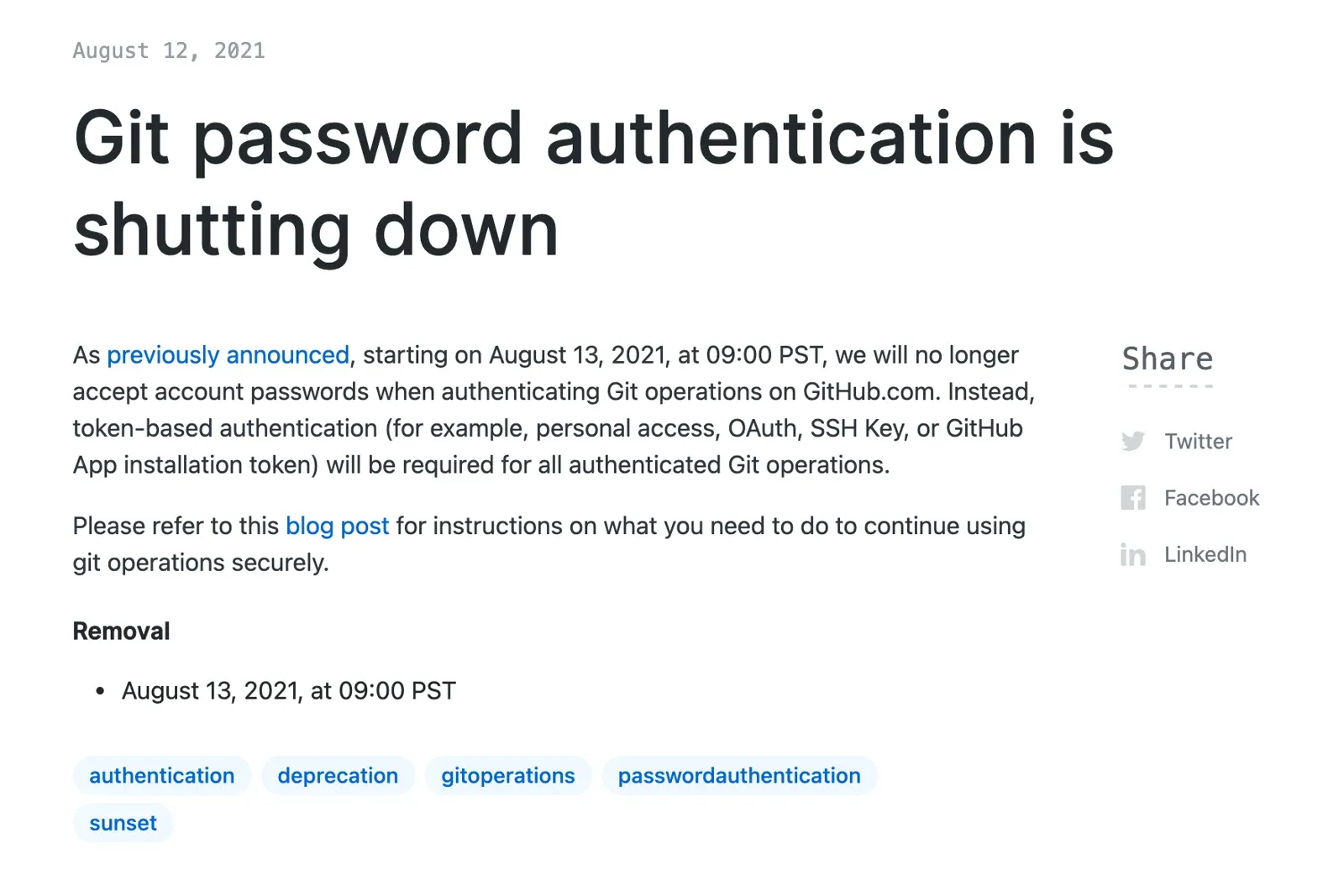
Support for password authentication was removed on August 13, 2021. Please use a personal access token instead.
(원래 있던 password authentication 지원이 중단되었으니 대신 personal access token 써라 )
이유
github blog에 이미 공지가 난 사항이었다. 난 몰랐는데 메일에 여러차례 메일이 왔단다. ㅋㅋ
해결방법
해결방법은 간단하다. 그저 password로 설정된걸 accessToken으로 교체만 하면 된다. 사진 첨부한 그대로 그냥 따라가면 된다.
1. github의 accessToken을 발급받는다.
github 자기 프로필 클릭 -> Settings tap 선택 -> 좌측 navigator에서 Developer settings 선택 -> Personal access tokens 선택 -> Generator new token 선택 -> accessToken의 권한, 기간 선택 후 확인버튼 -> 나온 토큰 복사
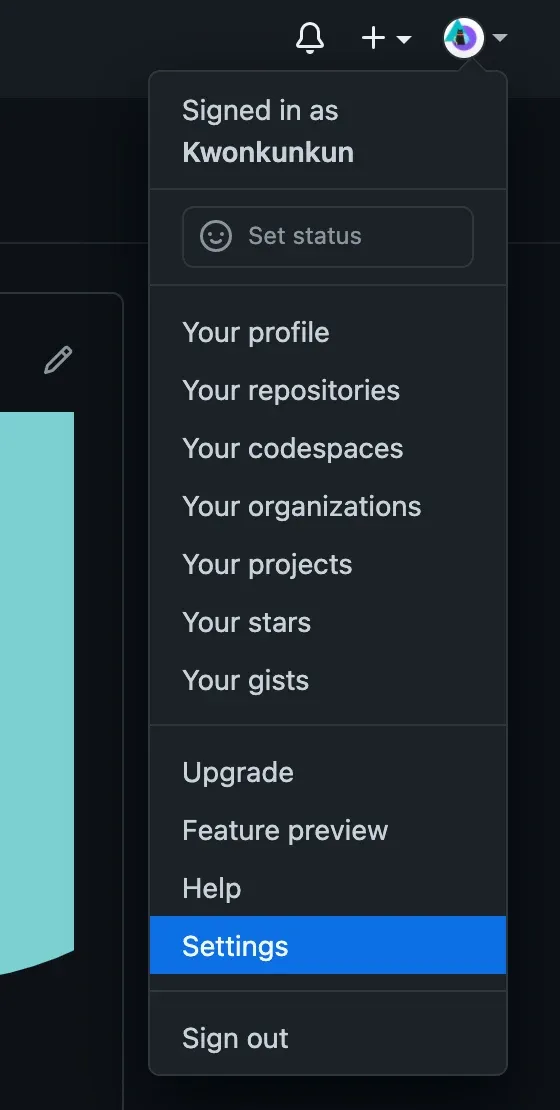
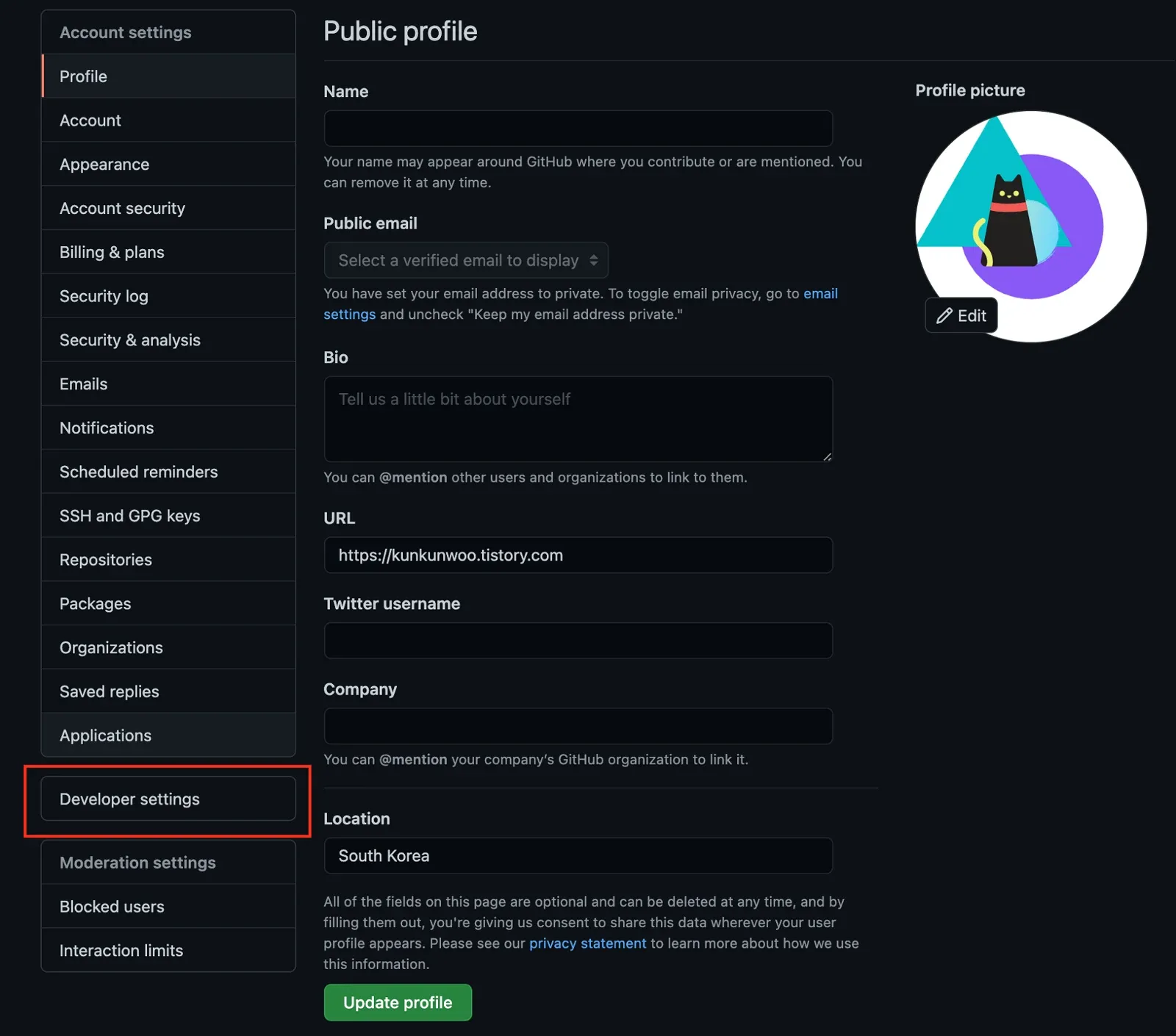

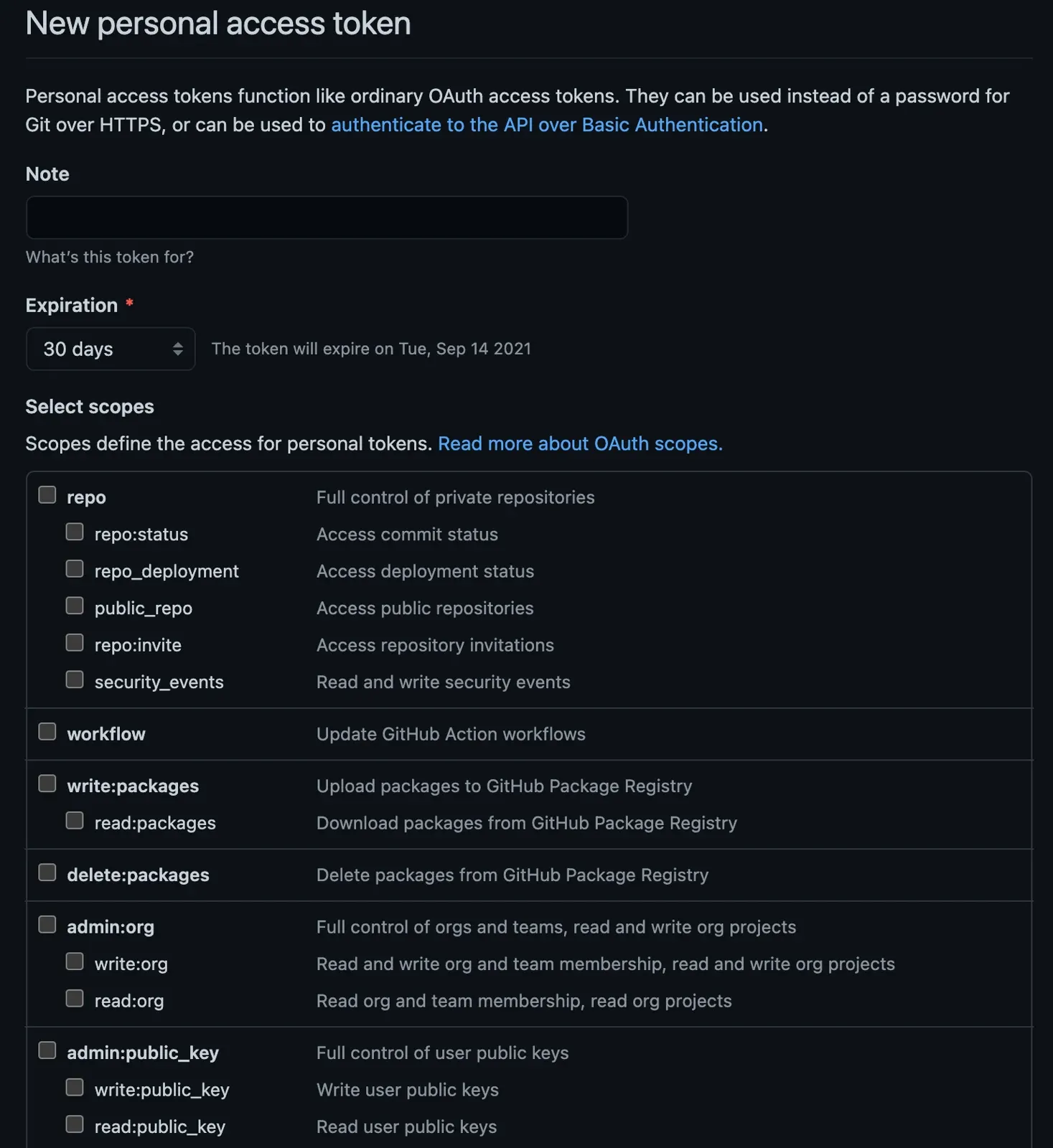
여기까지 완료하면 token이 나오는데 그거 복사해놓으면 된다.
2. keychain 변경
spotlight 혹은 alfred를 켜서 keychain에 들어가 github 비번을 아까 복사한 token으로 붙여넣으면 된다.
그럼 이제 해결이다.